 |
MyCustom Map- Help |
|
|||||||||||||||
 |
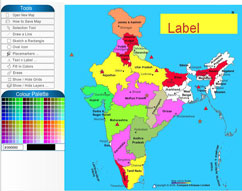
Make the map using MyCustomMap |  |
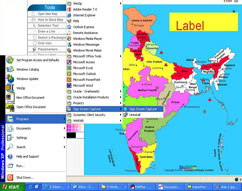
In order to save the map, run the installed capturer software. | ||||||||||||
 |
 |
||||||||||||||
 |
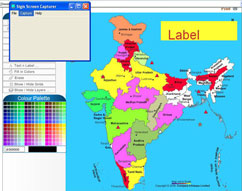
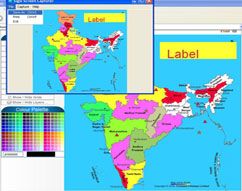
Click on the "Capture" button on the top menu bar |  |
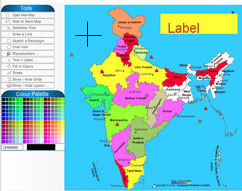
Click on "Capture selection", a "+" selection cursor will appear | ||||||||||||
 |
 |
||||||||||||||
 |
Drag and drop the "+" cursor over the map to select portion of the map you want to save |  |
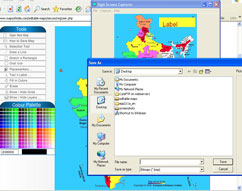
The selected portion will appear on the capturer's window. Press "ctrl+s" or "Save as" to save the selected map image | ||||||||||||
 |
 |
||||||||||||||
| Note: The default type of saving the map is .bmp , if you want to save the map in JPEG then type the file extension as ".jpg". | |||||||||||||||

 Mapping Digiworld Pvt Ltd
C-62, Community Center, Janakpuri, New Delhi-58 (India) Tel: +91-11- 25542045, 41588013, 41588014 Hotline Nos. : +91-11- 41574999, 41574888, 41574890 You may contact between 08.00 to 20.00 hours IST Fax: + 91-11-25547264 Mobile: +91(0) 9910492371 [email protected] |
|